How to Properly Send a Load to the Motive App
This guide provides step-by-step instructions to correctly send a load to the Motive app.
Procedure
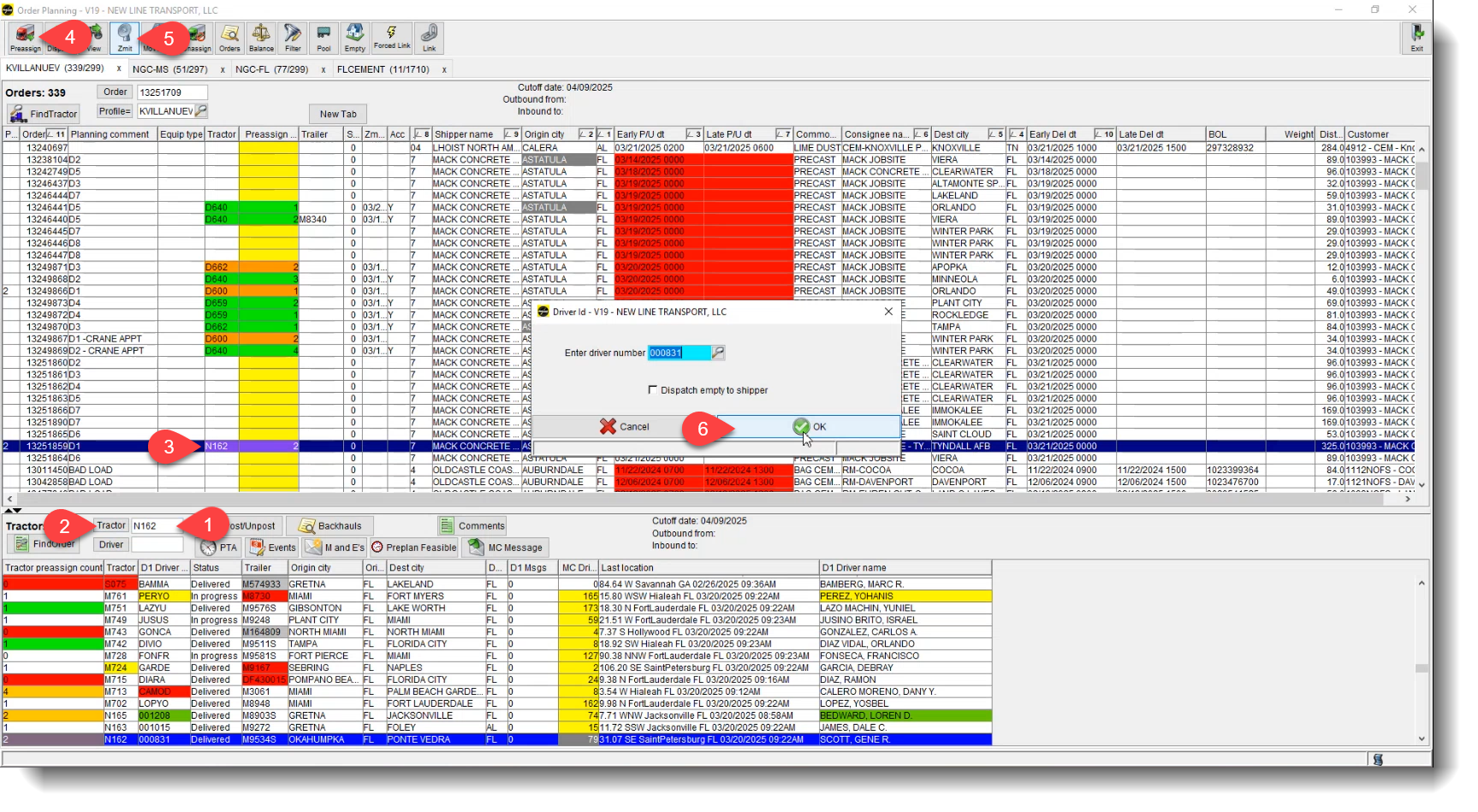
- Enter the tractor number, then press "Tractor" or hit the Enter key (ensure the correct driver is selected, as it may jump to another driver).
- Click on the load you wish to assign the driver on and click "pre-assign" to assign the driver to the load.
- Click on the load to highlight it, then at the top of the toolbar, press "Z-Mit" and click "OK" to send.

 Contact Support